High-quality video and audio lessons for school students — engaging, interactive multimedia they can access anytime, anywhere. Learning made effective, flexible and genuinely enjoyable.
The goal: design an educational app that delivers high-quality video and audio content tailored for school students — simplifying learning through engaging, interactive multimedia accessible anytime, anywhere.
A rich library of videos, podcasts and audio lessons across all grade levels, paired with progress tracking, quizzes and playlists, so students can learn at their own pace in a distraction-free environment.

A curious learner who studies on the go and needs content that holds her focus.
An educator who wants quality material to recommend and a way to track engagement.
A violet-led palette on a light lilac surface keeps the experience calm yet joyful. Vibrant mint, blue, sun-yellow and pink are reserved for categories, key actions and rewards — enough energy to delight without overwhelming young learners.
A friendly rounded display face for headings and titles — warm, confident and made for young readers.
A modern geometric sans for the interface — crisp, highly legible and neutral across every screen.
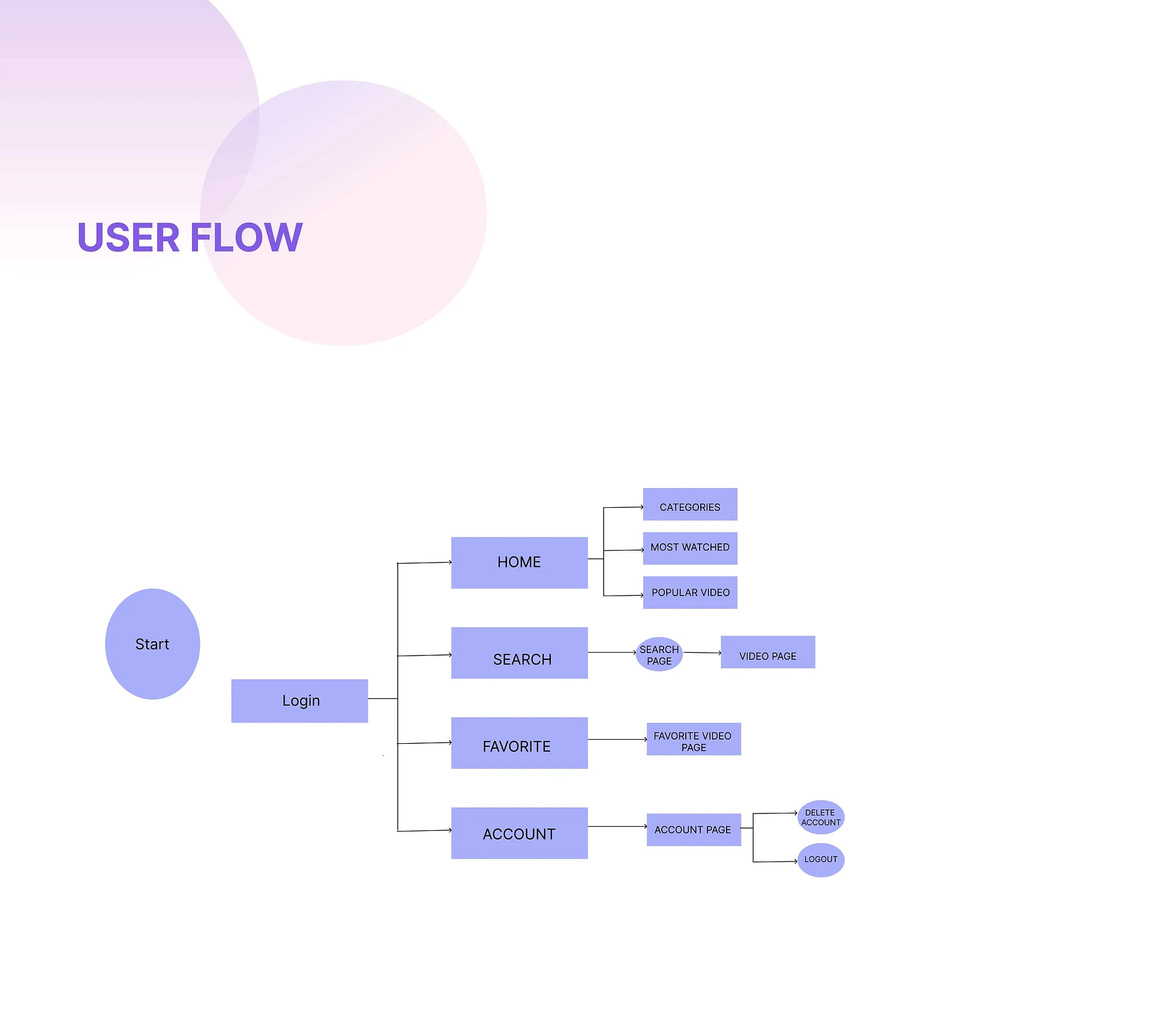
Nine screens — onboarding, sign in, home, categories, search & filter, video detail, the immersive player, progress & badges and the profile — covering the full journey on iOS & Android.
The SLI Play brand carries from a bright, playful library into a focused, cinematic player — same logo, same palette, two moods tuned to the moment.
Browse & discover — a personal home feed, bento subject browsing and grade-aware search & filtering.
Every lesson is a few taps away, organized by subject and grade. Students bookmark favourites, download for offline learning and pick up exactly where they left off — with subtitles, speed control and a distraction-free, full-screen player.
Designing and shipping SLI Play meant balancing a young audience, a sprawling content library and the realities of school devices. A few challenges shaped the final product the most.
Early concepts leaned hard into gradients and saturated color. In testing, younger students got over-stimulated and lost focus on the lesson itself.
Students just want to watch and learn; teachers and schools need accounts, enrolment and oversight. Surfacing both risked a cluttered, confusing interface.
Speed control, subtitles, offline download, resume and saving all had to coexist on one screen — without overwhelming a seven-year-old who just pressed play.
Content spans every grade and subject. Flat lists buried the good lessons and made it hard for a student to find what fit their level.
School Wi-Fi is unreliable and many devices are modest. Streaming-only would have left a lot of students unable to learn when it mattered.
Watched history, saved lessons and quiz results all needed to follow a student across phone, tablet and school accounts without ever feeling lost.