Smart Medical Technology / Patient App
Connect with doctors in one simple touch.
UrMedic is a patient management app concept designed to reduce appointment friction, support remote doctor consultation, and keep prescriptions, reports, reminders, and secure chat in one calm mobile experience.
Healthcare access felt fragmented, slow, and unsafe for routine care.
The UX challenge was to remove friction from appointment booking, reduce dependency on crowded clinics, and make digital doctor communication feel trustworthy.
Patients and parents struggle with outdated scheduling systems, delays, and missed opportunities for timely care.
Offer a fast booking path with available doctors, appointment slots, and visit types in one flow.
Traditional clinics often create queues that waste time and discourage patients from following up.
Support video/chat consultation so patients can receive advice and prescriptions remotely.
COVID-era crowding and repeated hospital visits increased anxiety around in-person care.
Allow patients to message providers, attach reports, and receive follow-up updates securely.
Reports, prescriptions, and reminders often live in separate places and are hard to retrieve during a consultation.
Bring reports, medication, timeline, and reminders into one accessible health record area.
Persona: Melissa, a busy engineer balancing health with a packed routine.
Melissa represents the core user: tech-comfortable, time-sensitive, privacy-aware, and cautious about choosing qualified consultants.
Needs
- Book trustworthy doctors quickly.
- Sync appointments and reminders.
- Review prescriptions and reports later.
Pain Points
- Slow or unclear booking processes.
- Concern over consultant quality.
- Stress around balancing health and work.
Thinks
- "I don't have time to visit a doctor; an online option would be perfect."
- "I want to know my consultant is genuinely qualified."
Feels
- Frustrated when processes are slow.
- Relieved when expert guidance is easy to find.
- Anxious about exposing personal health data.
Does
- Researches consultants, checks reviews.
- Prioritizes time-saving over cost.
- Schedules everything in her calendar app.
Uses
- Well-designed apps that sync with calendars.
- Productivity and reminder tools daily.
- Secure, privacy-forward services.
A direct path from health concern to doctor interaction.
The flow minimizes decision fatigue by keeping the main care actions visible: start, discover doctors, book, consult, and manage the health record.
Understand app value and sign in.
See next appointment and quick actions.
Filter doctors by specialty and availability.
Select date, time, and consultation type.
Chat securely and share reports.
Access prescriptions, reports, timeline, reminders.
Turning a broad healthcare idea into a usable mobile product required careful prioritization.
The main challenge was balancing a large healthcare feature set with a simple patient journey. UrMedic needed to feel trustworthy and complete without overwhelming users like Melissa, who want quick answers during a busy day.
Too many healthcare actions
The app needed onboarding, doctor search, appointment booking, chat, prescriptions, reports, timeline, reminders, profile, and safety support. I grouped these into a clear journey so every screen had one primary purpose.
Making remote care feel credible
Patients may hesitate to consult online. I used real doctor imagery, ratings, qualifications, availability, and secure messaging cues to make the experience feel professional and reassuring.
Choosing where tabs belong
At first, the tab bar appeared in too many places. I refined it so tabs only appear on top-level destinations, while booking, chat, prescriptions, and help stay focused with contextual actions.
Keeping dense screens readable
Medical apps can become crowded quickly. I used Material-style spacing, consistent touch targets, clear card hierarchy, and restrained blue surfaces to make reports and health data easier to scan.
Creating a distinct medical identity
The logo needed to avoid generic plus-sign overlap and still communicate health. I shifted the icon toward a healthline signal and paired it with a more refined UrMedic wordmark.
Replacing placeholders with realistic visuals
The onboarding screens originally relied on placeholder-style visuals. I replaced them with realistic doctor images and used a separate engineer portrait for Melissa so the persona matched the research story.
Design decisions guided by trust, clarity, and speed.
Top-level tabs only
Following Material navigation behaviour, the bottom tab bar appears only on top-level destinations: Home, Doctors, Records, and Profile. Deep flows use back buttons and focused CTAs.
Calm medical blue
The palette uses blue, aqua, mint, and white to express care, safety, and professional confidence without feeling clinical or cold.
One action per screen
Booking, consultation, prescription, and support screens each centre one primary user decision to reduce friction and cognitive load.
How each screen supports the patient journey.
The final design system translates the brief into a mobile experience that moves from reassurance to action, then from consultation to record management.
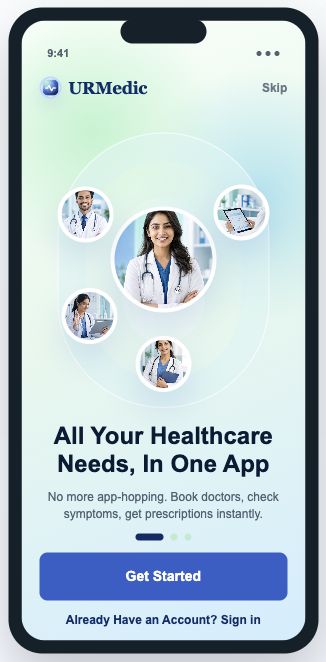
01. Onboarding — Care Hub
Introduces UrMedic as one calm place for doctors, symptoms, prescriptions, and reports, setting trust before asking the user to act.
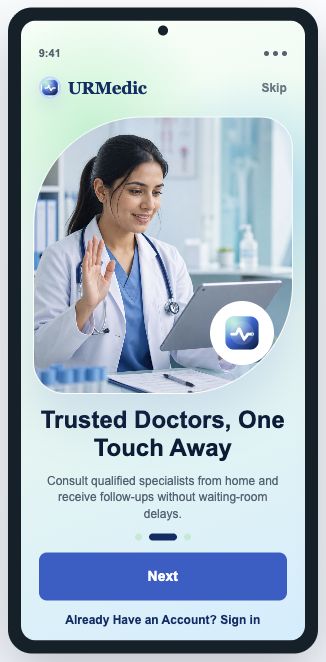
02. Onboarding — Doctor Access
Uses real doctor imagery and a strong blue CTA to make remote consultation feel human, professional, and easy to start.
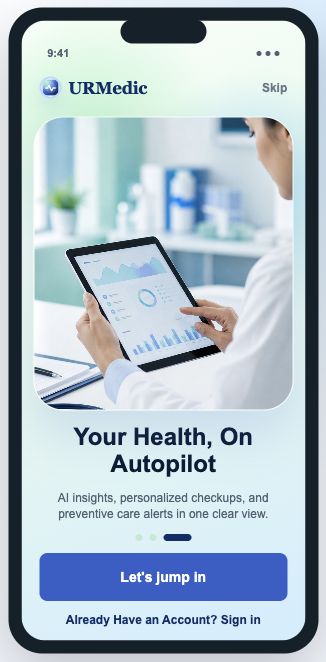
03. Onboarding — Health Insights
Frames the product around preventive care and personalised insights, helping users understand why records and reminders matter.
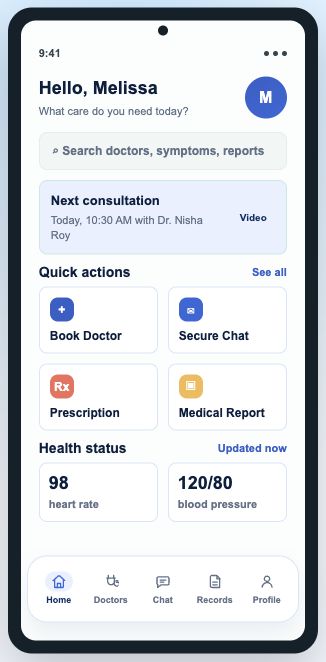
04. Home Dashboard
Surfaces Melissa's next consultation, search, and primary care actions so she can move quickly during a busy workday.
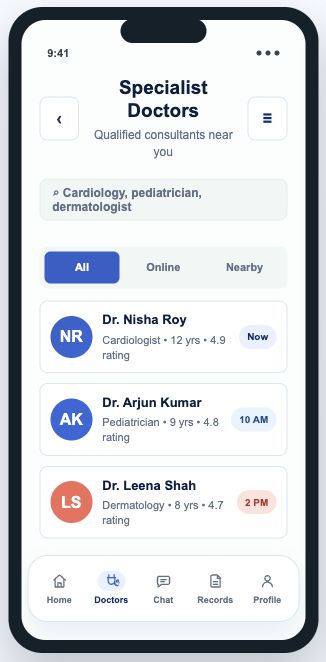
05. Find Specialists
Supports confident discovery with specialties, ratings, availability, and comparison cues for choosing a qualified consultant.
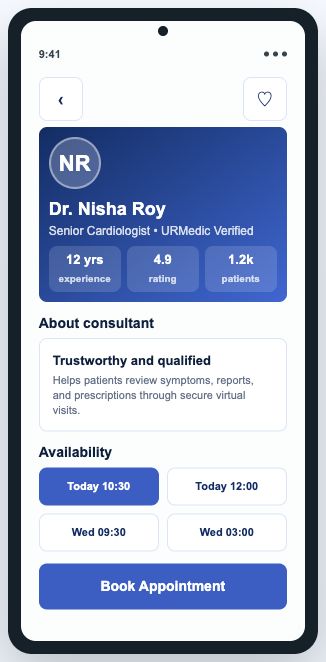
06. Doctor Profile
Combines credentials, patient trust signals, availability, and one clear booking CTA to reduce hesitation before scheduling.
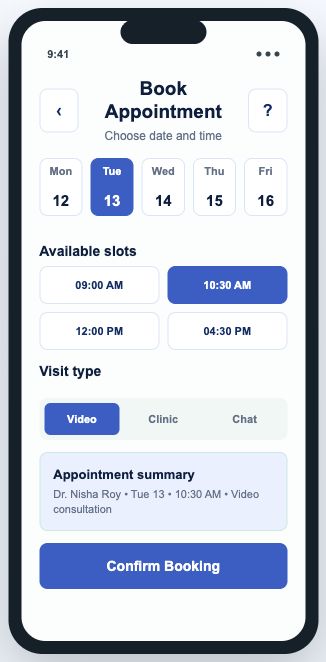
07. Book Appointment
Turns scheduling into a focused selection flow for date, time, and visit type, matching the goal of faster specialist booking.
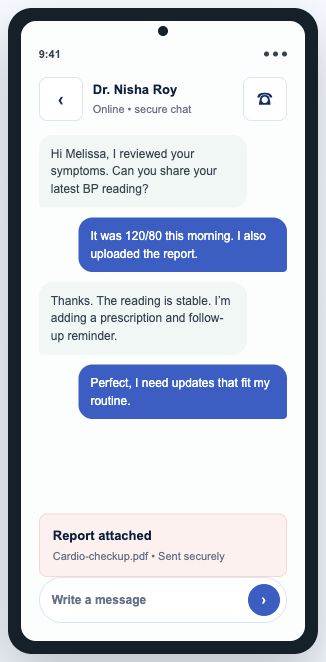
08. Secure Chat
Gives patients a safe channel to ask questions, attach reports, and continue care without waiting for another clinic visit.
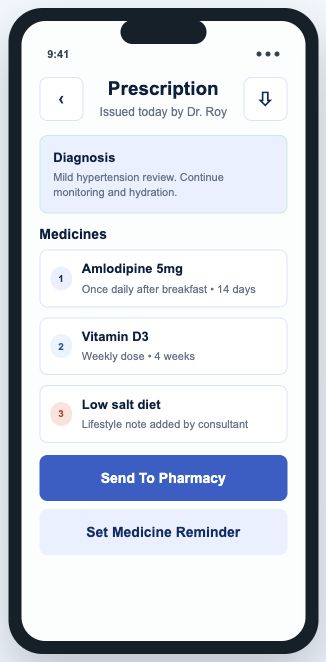
09. Prescription
Organises diagnosis, medicines, dosage, and reminders into a scannable plan the patient can return to after the consultation.
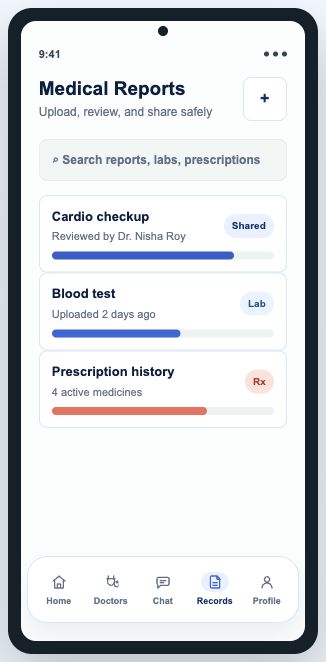
10. Medical Reports
Centralises uploaded reports and sharing actions so doctors and patients can reference the same medical context.
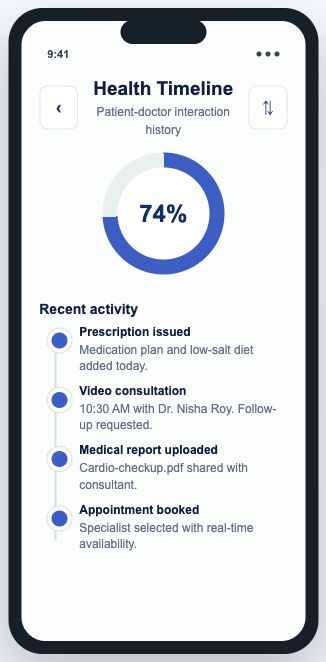
11. Health Timeline
Shows appointments, prescriptions, tests, and follow-ups chronologically, improving continuity across multiple care events.
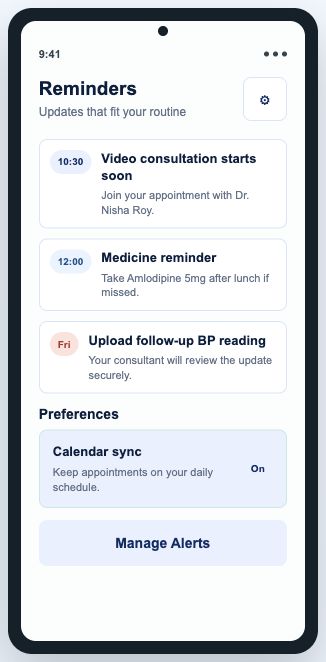
12. Notifications
Separates appointment, medication, and report updates so time-sensitive healthcare tasks are easy to notice and act on.
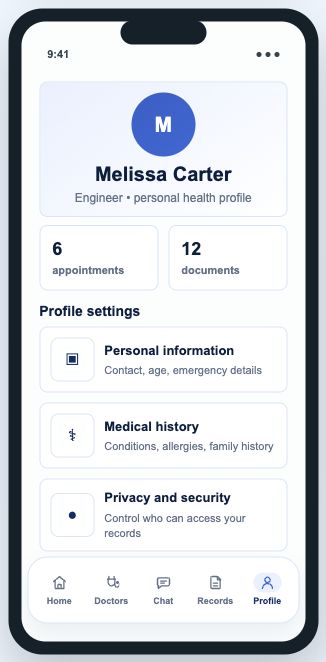
13. Patient Profile
Places personal details, insurance, saved doctors, family members, and privacy settings in one predictable profile area.
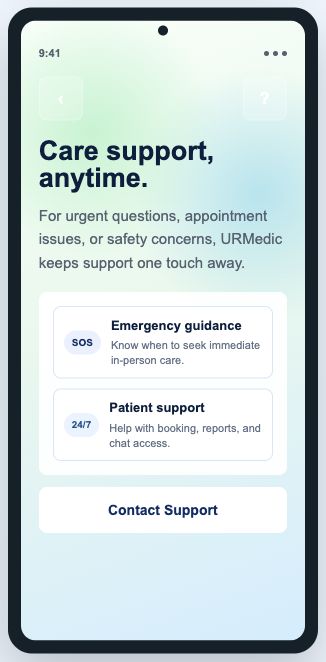
14. Help And Safety
Provides support, emergency guidance, privacy controls, and safety resources for moments when the patient needs reassurance.
A trustworthy medical identity with expressive clarity.

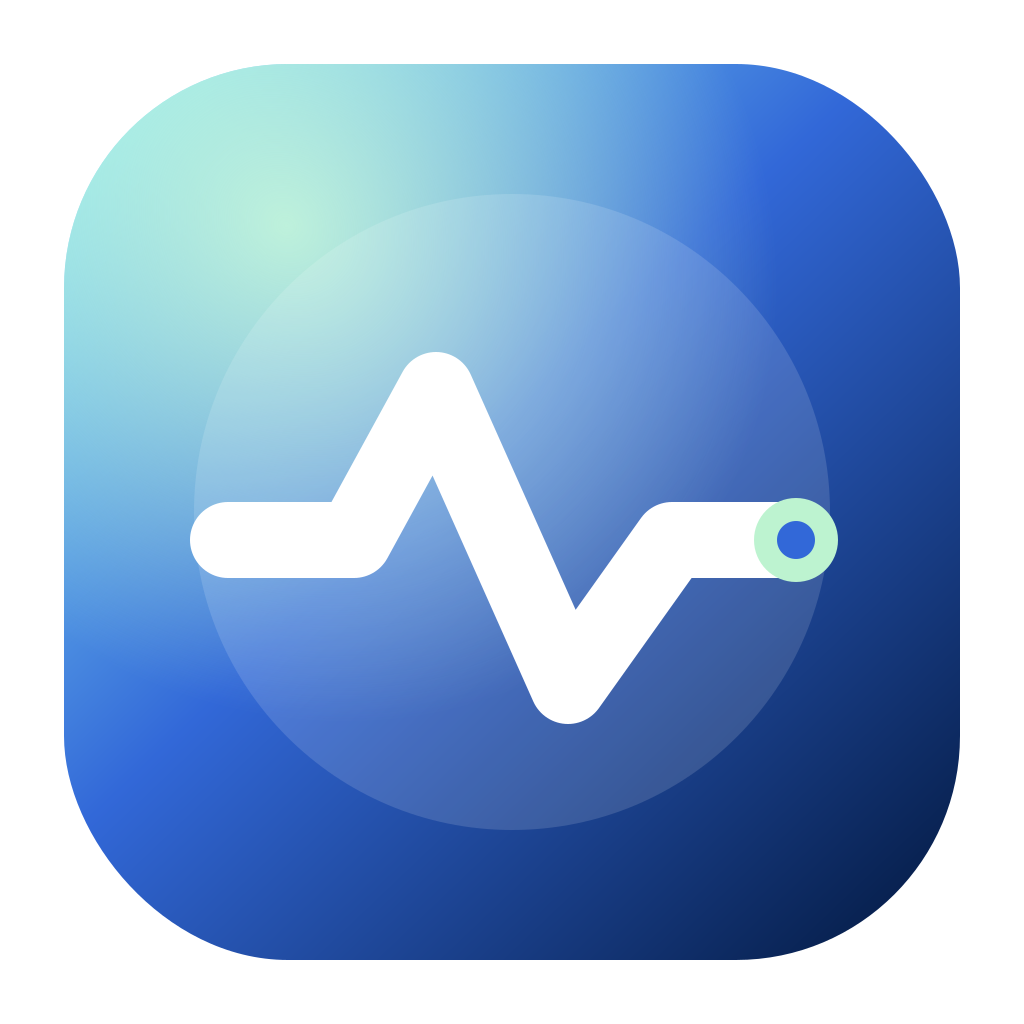
Branding
The UrMedic identity uses a no-plus healthline icon to avoid generic medical symbolism while still communicating monitoring, care, and patient progress.
Typography And Spacing
The app uses readable sans-serif UI text with a distinct serif wordmark. Components follow 8px-based spacing, 44px+ touch targets, clear hierarchy, and Material-style destination navigation.
- Primary CTAs use strong blue and minimum 48px height.
- Top-level tab destinations use consistent 48px targets.
- Cards use restrained 8px radius and clear grouping.
The redesigned experience reduces healthcare friction from discovery to follow-up.
Faster access
Patients can move from concern to specialist booking without disconnected systems or long phone queues.
Higher trust
Doctor verification, ratings, and secure chat directly address qualification and privacy concerns that prevent digital adoption.
Better continuity
Reports, prescriptions, timeline, and reminders keep the next health action visible and close at hand between visits.